Control output and input
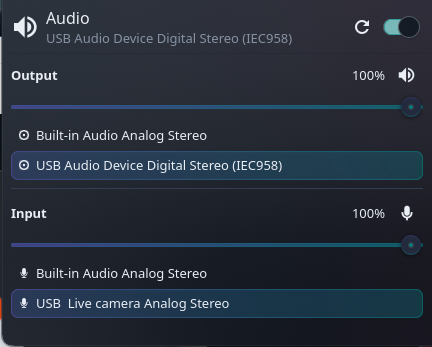
Separate speaker and microphone sections give you independent volume and mute controls. Changing volume keeps the current mute state.

KDE Plasma 6 · Free & open source
Your speakers and microphone, together in one compact panel widget.
Adjust volume, mute a device, or switch where sound plays and which microphone your apps use. The layout takes inspiration from Omarchy’s audio panel, with controls and colors that follow your Plasma theme.
Separate speaker and microphone sections give you independent volume and mute controls. Changing volume keeps the current mute state.
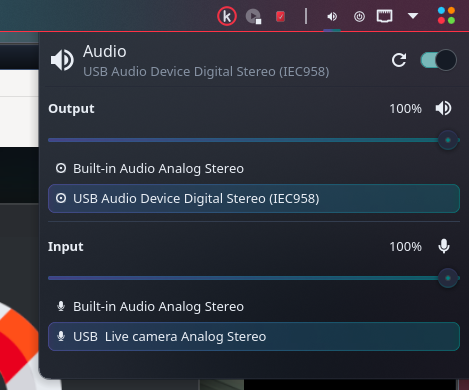
Switch the default output or microphone with a click. The selected device is highlighted, and the list follows connected devices and changes made elsewhere.
Switching devices moves streams using the previous default. Streams routed to other devices stay in place. If an application cannot be moved, the widget shows a warning.
Middle-click the panel icon to toggle output mute. Use the keyboard to adjust sliders, or drag and release to apply a volume change. No recording, microphone level sampling, or network access.
Download the plasmoid from the GitHub release. In Plasma’s widget browser, choose Install Widget From Local File and select the downloaded package.
Add kOMA Audio Control from the widget browser. Click its panel icon to open the output and microphone controls.
Select a device, adjust its volume, or toggle mute. Installation leaves your existing audio routing, volume, and mute settings intact.
Requires KDE Plasma 6, Python 3, pactl, and a running PipeWire PulseAudio-compatible service or PulseAudio. On Arch and EndeavourOS, pactl is supplied by libpulse. The widget uses Plasma’s executable data engine and its own bundled helper.
Status refreshes every 10 seconds while closed and every 1.5 seconds while open, plus after changes. No persistent helper service or separate command-line setup is needed for the widget.
Free, open source, and MIT licensed. Download version 0.1.0 or explore the source on GitHub.
Download Audio Control → View source →Requires KDE Plasma 6 and a compatible audio service.